Now let’s say we wanna build a home network that allows different devices in our home to connect to the internet. We typically have a Router, Modem, and a Switch that is integrated into the home network. Now what are the differences between the three?
Firstly lets go over the basic definitions:
Modem:
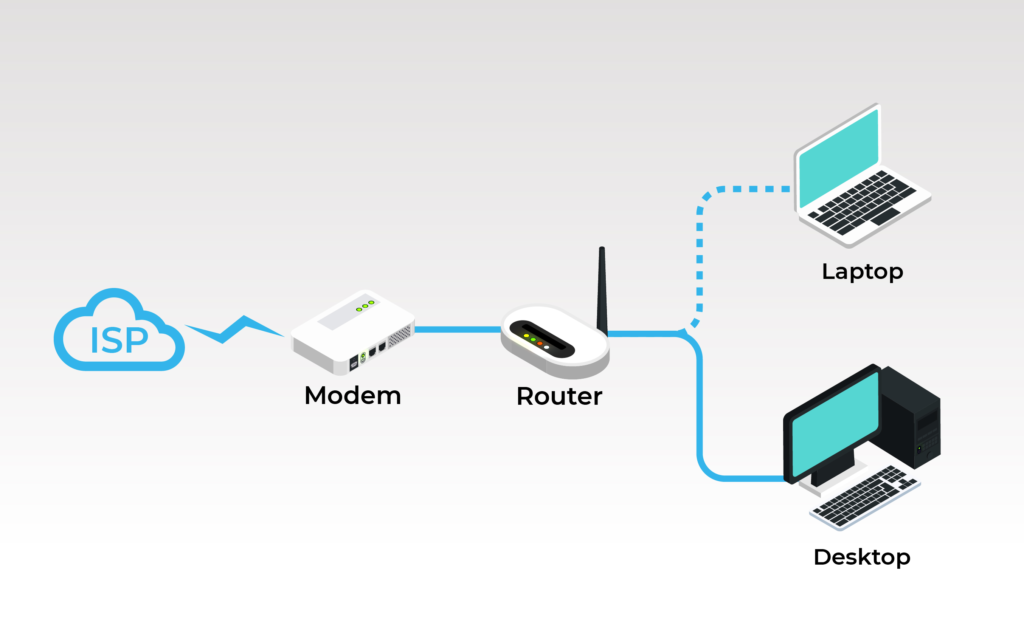
A Modem is crucial hardware device that connects your Home to the Internet Service Provider(ISP) . A modem is known as a modulator-demodulator.
A modem primarily operates at the Data Link Layer (Layer 2) of the OSI model, acting as a bridge between your home network (Ethernet) and your Internet Service Provider’s (ISP) network.
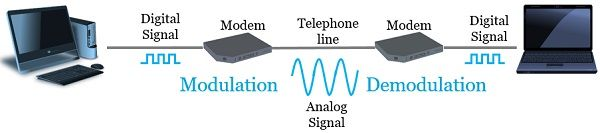
The Modulating part: Your computer communicates in binary (0 and 1), this is known as digital data. But your ISP signals are in analog. So the Modem just converts the 0s and 1s into analog waves(electrical signals on copper or light pulses for fiber) which travel to the ISP.
The Demodulating Part: Now apply the modulating part in reverse, this is where analog signals like electrical signals or light pulses get converted back into binary (the language the computer understands).
The modem connects to your router(via ethernet cable) and the router helps distribute that to the multiple devices in your home.
There are many different types of Modems depending on what type of signal you want to convert to. This blog will differentiate three types:
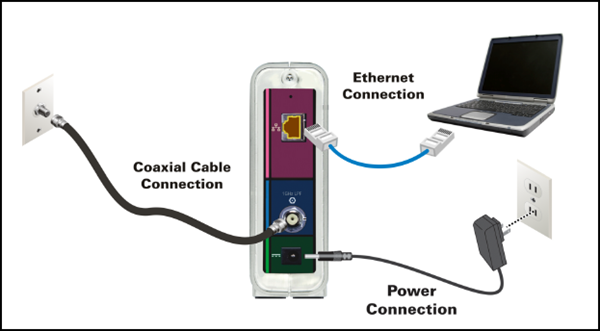
Cable Modems: A cable modem connects to the ISP via a coaxial cable(cable TV lines)
The coaxial cable connects to the wall outlet, which links to the ISP. Inside the wall outlet there is a coaxial cable drop that runs through the neighborhood to the company’s cable network.
Now for the modem to communicate with the ISP, it uses a set of rules and a language called DOCSIS. It is basically an internet protocol for coaxial cables.
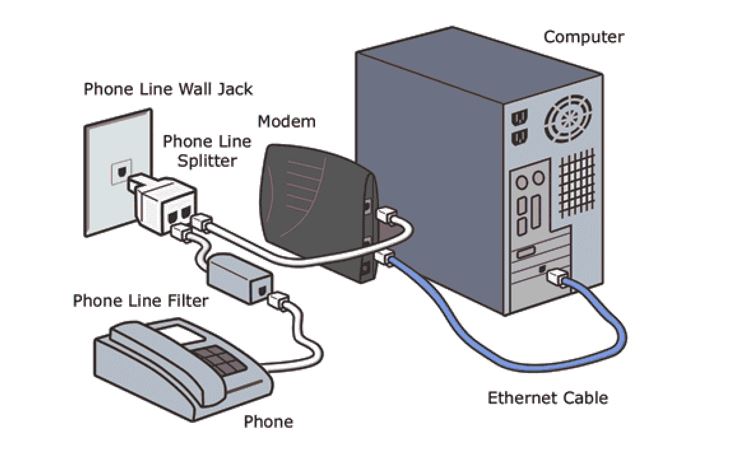
DSL Modems: A DSL(Digital Subscriber Line) Modem is a modem that connects to the ISP via existing phone lines(copper twisted pair). The difference between a DSL modem and a Cable Modem is that cable modems uses Cable TV(coaxial) lines while DSL modems use existing telephone lines.
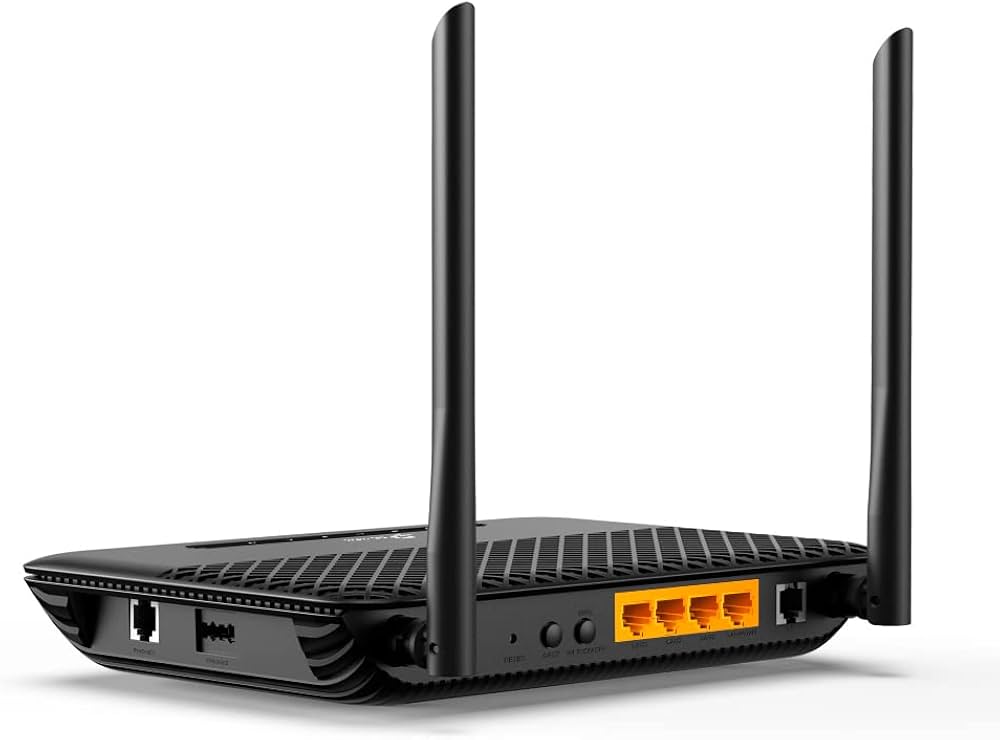
Cable modems are typically faster(shared bandwidth) whereas DSL Modems are slower and are distance dependent from the ISP. DSL models are used for lighter tasks while cable modems are used for heavier tasks such as gaming and watching TV which typically require fast internet connection.
ONT(Optical Network Terminal) : While it isn’t a modem or a router. It can be thought of the fiber optical version of a modem. It converts from fiber-optic light signals from the ISP into Ethernet data that your home can use.
So typically in a home, the fiber cable will be connected to the ETP(external termination point), this is where the underground fiber cables connect to your home.
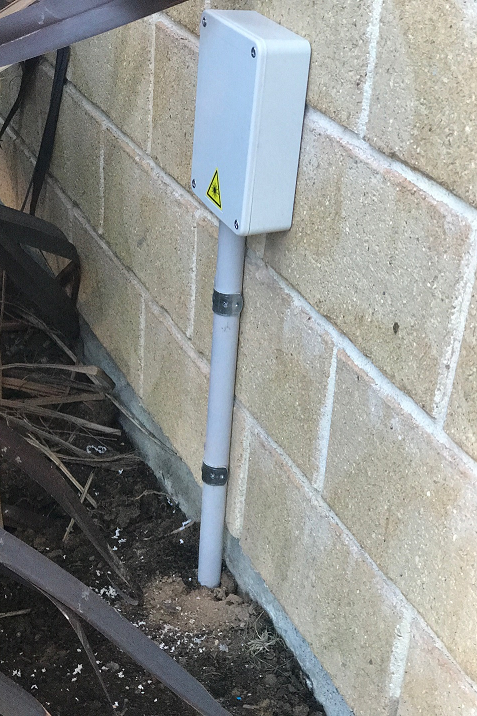
Then from the ETP it is connected to the ONT which then provides internet to your devices. The ONT is connected to your router via an ethernet cable.
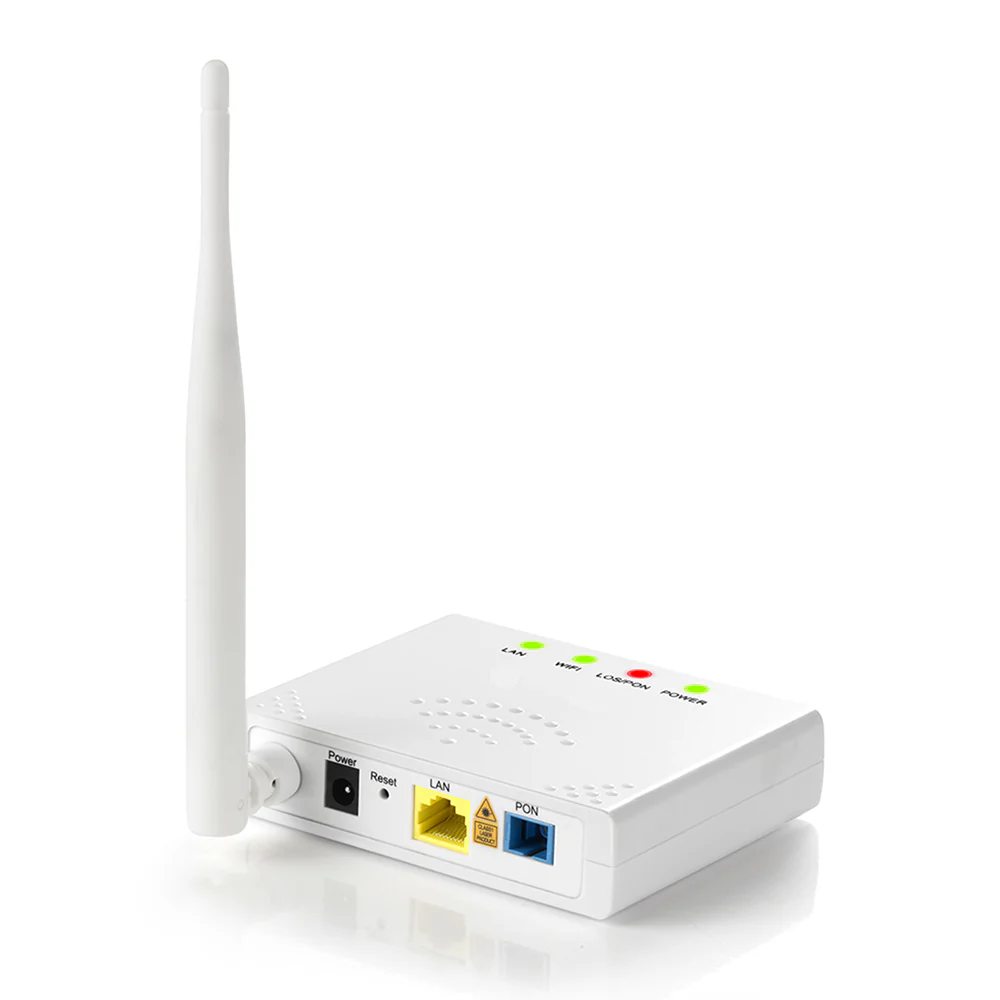
An ONT typically has a fiber input, one or more Ethernet Ports(aka RJ45) to connect to your router, and phone jacks(aka RJ11). Some ONT’s even have coax ports for TV/Video, and sometimes even Wi-Fi and USB capabilities!
ROUTER:
A router is a networking device that acts as a bridge between your home network(LAN) and the Internet Service Provider (WAN) and the global internet. The router operates at OSI level 3(Network Layer).
Since data packets are constantly being sent and received, the packets itself contain information about the source and sender’s destination IP’s, TTL(time to live), the protocol(TCP or UDP), the version, packet length etc. The router reads the addresses and finds an efficient path for the information to travel.
It allows several devices to share a single internet connection. The router helps preserve IP addresses by allowing multiple devices to share a single public IP address that is provided by your ISP. This process is known as Network Address Translation(NAT).
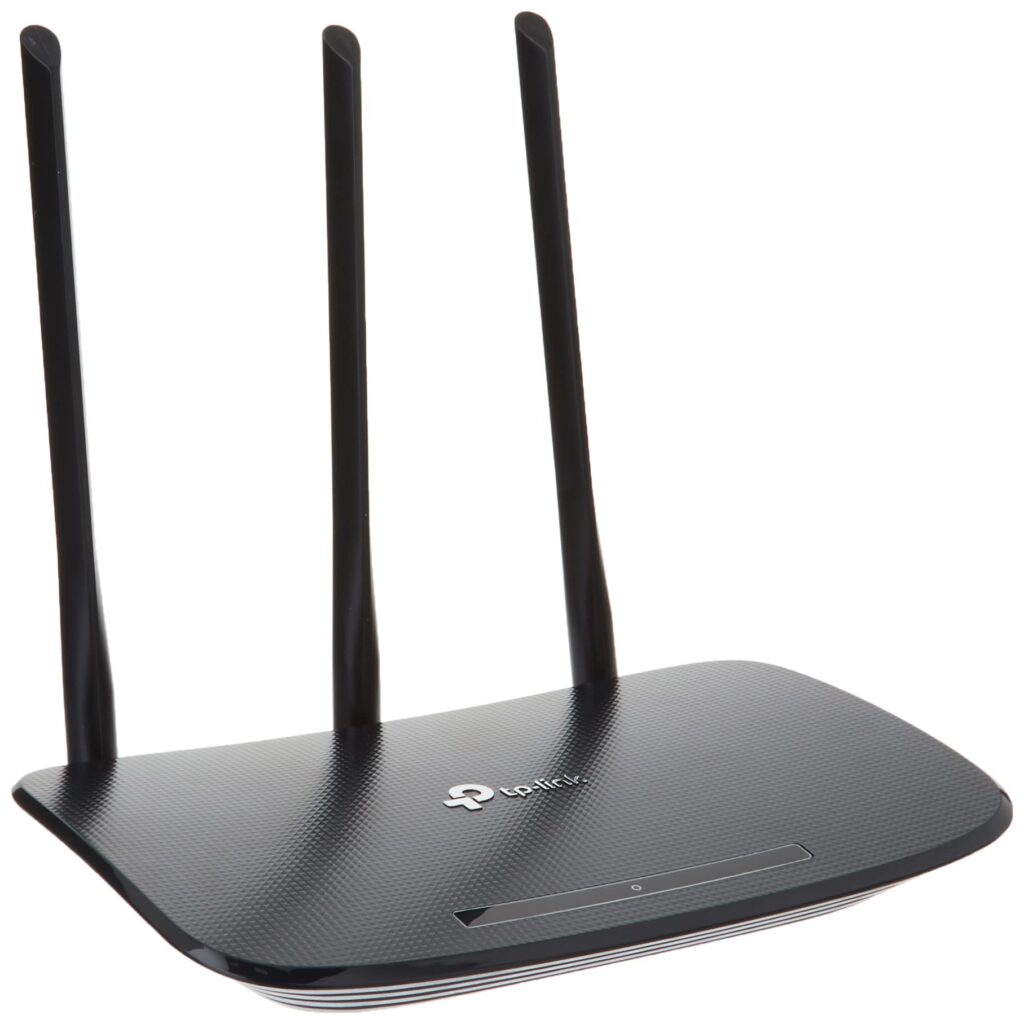
Here a router receives data from the Modem, and examines the address and details, and then forwards the information through an efficient path.
SWITCHES:
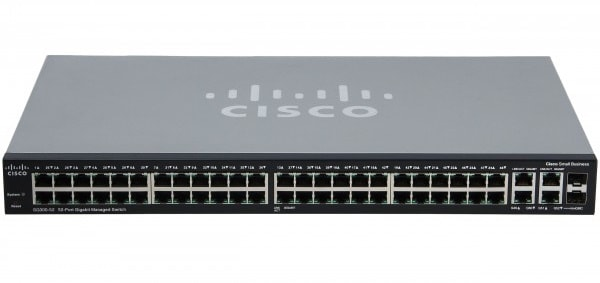
While a router helps devices communicate outside your home network, switches help your devices communicate within the same local network(LAN). Switches operate on the OSI Layer 2.
We use a switch to expand ethernet ports, just incase your Router runs out of ports we can use a switch to extend the Wi-Fi capabilities across many more devices.
A switch can be thought of as a central connection point.
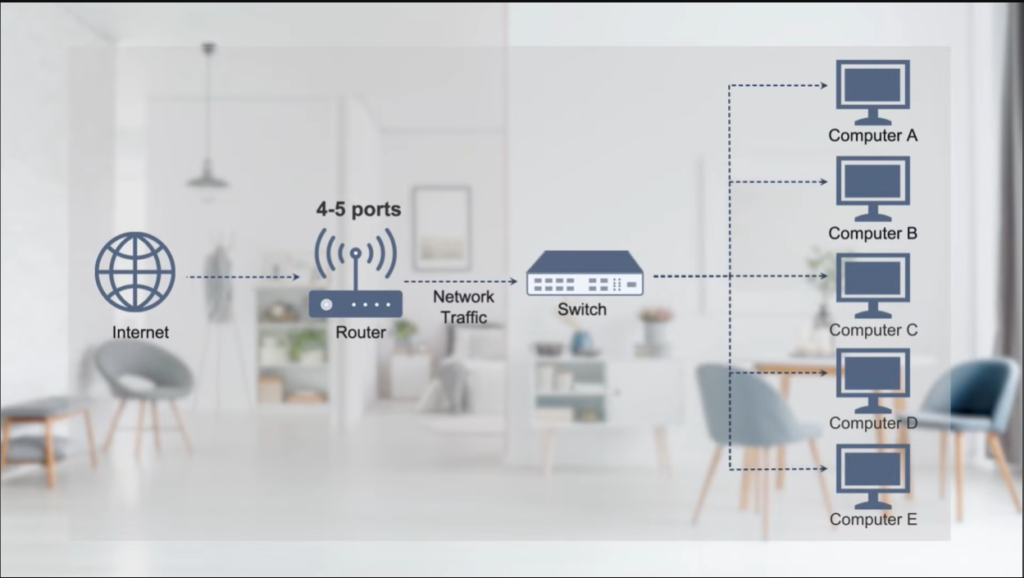
Here is an image of all three simultaneously used in a typical home network. Nowadays, routers have built in switches, so we don’t typically purchase a separate switch.
Image credits: QSFPTEK On You tube.